




Hey there! As an SSD supplier, I get asked a ton of questions about storage devices. One of the most common ones is, "Are external SSDs as fast as internal SSDs?" It's a great question, and today, I'm gonna break it down for you.
Let's start by understanding the basics. SSDs, or Solid - State Drives, have revolutionized the storage game. They're way faster than traditional hard - disk drives (HDDs) because they have no moving parts. Instead, they use NAND flash memory to store data, which allows for much quicker read and write speeds.


Internal SSDs: The Powerhouses
Internal SSDs are directly connected to your computer's motherboard. This direct connection gives them a significant advantage in terms of speed. There are different types of internal SSDs, and two of the most popular ones are the 2.5 Inch SATA III SSD and the NVMe SSDs.
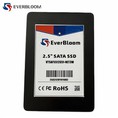
The 2.5 Inch SATA III SSD is a common choice for many users. It uses the Serial ATA (SATA) interface, which has been around for a while. SATA III has a maximum theoretical bandwidth of 6 Gbps. In real - world use, you can expect read speeds of around 500 - 550 MB/s and write speeds of about 500 MB/s. These drives are great for general - purpose computing, like running your operating system, installing applications, and storing your everyday files.
On the other hand, NVMe (Non - Volatile Memory Express) SSDs are the speed demons of the storage world. There are two main types: NVMe M.2 PCIe 3.0 SSD and NVMe M.2 PCIe 4.0 SSD. NVMe SSDs use the PCI Express (PCIe) interface, which is much faster than SATA.
NVMe M.2 PCIe 3.0 SSDs offer read speeds of up to 3500 MB/s and write speeds of around 3000 MB/s. They're perfect for tasks that require a lot of data transfer, like video editing, 3D modeling, and gaming. And if you want even more speed, the NVMe M.2 PCIe 4.0 SSDs take it a step further. With read speeds of up to 7000 MB/s and write speeds of around 5000 MB/s, they're the top choice for high - end users and professionals.
External SSDs: The Portable Contenders
External SSDs are a convenient option for those who need to move data between different devices or want extra storage on the go. They come in various forms, but most use either a USB or Thunderbolt interface.
USB 3.1 Gen 2 is a common interface for external SSDs. It has a maximum bandwidth of 10 Gbps. In practice, you can get read and write speeds of around 1000 MB/s. That's pretty fast, but it still can't match the speeds of high - end internal NVMe SSDs.
Thunderbolt 3 and Thunderbolt 4 are even faster. Thunderbolt 3 has a bandwidth of 40 Gbps, and Thunderbolt 4 offers the same speed. External SSDs using these interfaces can achieve read and write speeds of up to 3000 - 4000 MB/s. These speeds are getting closer to what you'd get with an internal NVMe M.2 PCIe 3.0 SSD.
Factors Affecting the Speed Comparison
There are a few factors that can affect whether an external SSD can be as fast as an internal one.
Interface Limitations: As we've seen, the interface plays a huge role. If an external SSD is limited by a slower USB interface, it won't be able to match the speeds of an internal SSD with a faster PCIe interface.
Enclosure Quality: The enclosure of an external SSD can also impact its performance. A high - quality enclosure with good heat dissipation and proper shielding can help maintain consistent speeds. A cheap enclosure, on the other hand, might cause overheating or interference, which can slow down the drive.
Drive Controller: The drive controller inside the SSD is responsible for managing data transfer. A high - end controller can optimize performance, while a lower - quality one might limit the speed.
When External SSDs Can Hold Their Own
Even though external SSDs might not always match the raw speed of internal SSDs, there are situations where they can be just as good, if not better.
Portability: The biggest advantage of external SSDs is their portability. You can easily take them with you and use them on different computers. If you're a freelancer who works on multiple devices or a student who needs to access files on different computers in the library or at home, an external SSD is a great choice.
Expandability: If your computer doesn't have any more internal drive bays or if you don't want to open up your computer to install a new drive, an external SSD is a simple way to add more storage.
Data Backup: External SSDs are also great for data backup. You can quickly back up your important files without having to worry about taking apart your computer.
Conclusion
So, are external SSDs as fast as internal SSDs? Well, it depends. In terms of raw speed, high - end internal NVMe SSDs usually have the edge. But with the latest Thunderbolt - based external SSDs, the gap is closing.
External SSDs offer portability and expandability, which are huge advantages in many situations. And for general - purpose use, an external SSD with a fast USB or Thunderbolt interface can provide more than enough speed.
If you're in the market for an SSD, whether it's an internal or external one, we've got you covered. We offer a wide range of high - quality SSDs, from the reliable 2.5 Inch SATA III SSD to the lightning - fast NVMe M.2 PCIe 4.0 SSD.
If you're interested in purchasing SSDs for your business or personal use, feel free to reach out to us for a procurement discussion. We're here to help you find the perfect storage solution for your needs.
References
- "SSD Performance: A Comprehensive Guide." StorageReview.
- "Understanding NVMe and SATA SSDs." Tom's Hardware.
- "External SSD Buying Guide." PCMag.