


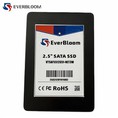

Hey there, tech enthusiasts! I'm [Your Name], and I'm here as an SSD supplier to answer one of the most common questions I get asked: "Can I use a U.2 SSD in a regular computer?" Let's dive right in and break this down.
First off, let's talk about what a U.2 SSD is. A U.2 SSD is a type of solid - state drive that uses the NVMe (Non - Volatile Memory Express) protocol. It's designed to offer high - speed data transfer and is commonly used in enterprise - level systems and high - end workstations. These drives are known for their blazing - fast read and write speeds, which can significantly boost the performance of a system.
Now, the big question: Can you use a U.2 SSD in a regular computer? Well, it's not as straightforward as a simple yes or no.
Compatibility Factors
Motherboard Support
The first and most crucial factor is your motherboard. Regular consumer motherboards usually don't come with U.2 ports out of the box. U.2 ports are more commonly found in server and high - end workstation motherboards. Most consumer motherboards are equipped with M.2 slots or SATA ports instead.
If your motherboard doesn't have a U.2 port, you're not completely out of luck. You can use an adapter to connect a U.2 SSD to an M.2 slot. However, this comes with some caveats. When you use an adapter, you might not be able to fully utilize the drive's potential. The U.2 SSD is designed to work at its best when directly connected to a U.2 port, and using an adapter can limit the data transfer speed.
Power Requirements
U.2 SSDs typically require more power compared to other types of SSDs. Regular consumer power supplies might not be able to provide the necessary power for a U.2 SSD. You may need to upgrade your power supply to ensure stable operation. If the power supply can't meet the drive's requirements, it could lead to system instability, data corruption, or even damage to the drive.
Operating System
Most modern operating systems, like Windows 10 and Linux distributions, support NVMe drives, including U.2 SSDs. However, you need to make sure that your system has the necessary drivers installed. Without the proper drivers, the operating system might not recognize the U.2 SSD, or it might not function correctly.
Alternatives to U.2 SSDs for Regular Computers
If using a U.2 SSD in your regular computer seems too complicated, there are other great options available.
NVMe M.2 PCIe 4.0 SSD
The NVMe M.2 PCIe 4.0 SSD is a popular choice for regular computers. It offers high - speed data transfer similar to U.2 SSDs but is more compatible with consumer motherboards. Most modern motherboards have M.2 slots that support NVMe drives, and they can provide excellent performance for gaming, content creation, and everyday computing tasks.
SATA III M.2 SSD
The SATA III M.2 SSD is another option. It's a more budget - friendly choice and is widely supported by most motherboards. While it doesn't offer the same speed as NVMe drives, it's still a significant improvement over traditional hard drives.
MSATA SATA III SSD
The MSATA SATA III SSD is also a viable option. It's often used in laptops and small form - factor computers. It provides a good balance between performance and cost and is relatively easy to install.
Making the Decision
So, should you try to use a U.2 SSD in your regular computer? It depends on your specific needs. If you're a power user who needs the absolute fastest data transfer speeds and your motherboard supports U.2 ports, then a U.2 SSD could be a great choice. However, if you're a casual user or on a budget, one of the alternative SSDs mentioned above might be more suitable.
If you're still unsure, don't hesitate to reach out to us. As an SSD supplier, we have a team of experts who can help you choose the right SSD for your computer. Whether you're looking for a U.2 SSD or one of the other options, we can provide you with the best advice and products.
Conclusion
In conclusion, while it is possible to use a U.2 SSD in a regular computer, it comes with some challenges related to motherboard compatibility, power requirements, and driver installation. There are also great alternative SSDs available that are more easily compatible with regular computers.


If you're interested in upgrading your computer's storage, we'd love to have a chat with you. We can help you find the perfect SSD for your needs and budget. Just get in touch with us, and we'll guide you through the process.
References
- Various SSD product manuals and technical specifications
- Motherboard manufacturer documentation
- Industry research on SSD technologies and compatibility