


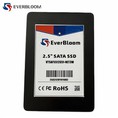

Benchmarking an MSATA SATA III SSD is a crucial process that allows users to understand the performance capabilities of the drive and compare it with other storage solutions. As a supplier of MSATA SATA III SSD, I've witnessed firsthand the importance of accurate benchmarking in the decision - making process for both consumers and businesses. In this blog post, I'll guide you through the steps of benchmarking an MSATA SATA III SSD, explaining why it matters and what tools you can use.
Why Benchmark an MSATA SATA III SSD?
Before delving into the benchmarking process, it's essential to understand why benchmarking is necessary. An MSATA SATA III SSD offers several advantages over traditional hard disk drives (HDDs), such as faster data transfer speeds, lower latency, and better reliability. However, not all MSATA SATA III SSDs are created equal. Benchmarking helps you:
- Evaluate Performance: By running benchmarks, you can measure key performance metrics like sequential read and write speeds, random read and write IOPS (Input/Output Operations Per Second), and latency. These metrics give you a clear picture of how well the SSD can handle different types of workloads.
- Compare with Competitors: In a crowded market, it's important to know how your MSATA SATA III SSD stacks up against the competition. Benchmarking allows you to compare your drive's performance with other similar products, helping you make an informed purchasing decision.
- Optimize System Configuration: Benchmarking can also help you optimize your system's configuration. By identifying bottlenecks in your storage subsystem, you can make adjustments to improve overall system performance.
Tools for Benchmarking
There are several tools available for benchmarking an MSATA SATA III SSD. Each tool has its own strengths and weaknesses, so it's important to choose the one that best suits your needs. Here are some popular benchmarking tools:
- CrystalDiskMark: This is a widely used benchmarking tool that measures sequential and random read and write speeds. It's easy to use and provides detailed results in a clear and concise format. CrystalDiskMark supports both SATA and NVMe SSDs, making it a versatile choice for benchmarking different types of storage devices.
- AS SSD Benchmark: Another popular tool, AS SSD Benchmark, focuses on measuring the performance of SSDs. It provides a comprehensive set of benchmarks, including sequential and random read and write speeds, 4K read and write speeds, and access time. AS SSD Benchmark also calculates a composite score, which gives you an overall idea of the SSD's performance.
- HD Tune: HD Tune is a feature - rich benchmarking tool that offers a wide range of tests, including sequential read and write, random access, and burst speed. It also provides information about the drive's health and temperature, making it a useful tool for monitoring the overall condition of your SSD.
Benchmarking Process
Now that you understand why benchmarking is important and have chosen a benchmarking tool, let's walk through the benchmarking process step by step.
Step 1: Prepare Your System
Before running any benchmarks, it's important to prepare your system. Here are some steps you can take:
- Update Your Drivers: Make sure you have the latest drivers installed for your MSATA SATA III SSD. Outdated drivers can affect the performance of the drive and lead to inaccurate benchmark results.
- Close Unnecessary Programs: Close all unnecessary programs and background processes on your system. These programs can consume system resources and interfere with the benchmarking process.
- Defragment Your Drive: If you're using a traditional HDD, defragmenting it can improve its performance. However, SSDs don't require defragmentation, as they use a different technology for data storage.
Step 2: Install the Benchmarking Tool
Download and install the benchmarking tool of your choice. Follow the installation instructions provided by the tool's developer. Once the installation is complete, launch the tool.
Step 3: Select the Drive to Benchmark
In the benchmarking tool, select the MSATA SATA III SSD that you want to benchmark. Make sure you select the correct drive, as benchmarking the wrong drive can lead to inaccurate results.
Step 4: Run the Benchmarks
Once you've selected the drive, run the benchmarks provided by the tool. Most benchmarking tools offer a variety of tests, so you can choose the ones that are most relevant to your needs. For example, if you're mainly interested in sequential read and write speeds, you can run the sequential read and write benchmarks.
Step 5: Analyze the Results
After the benchmarks have completed, analyze the results. Look for key performance metrics such as sequential read and write speeds, random read and write IOPS, and latency. Compare the results with the manufacturer's specifications and with the results of other similar SSDs.
Factors Affecting Benchmark Results
It's important to note that several factors can affect the benchmark results of an MSATA SATA III SSD. Here are some of the most common factors:
- System Configuration: The performance of your MSATA SATA III SSD can be affected by your system's configuration, including the CPU, motherboard, and RAM. A high - end system with a powerful CPU and plenty of RAM can provide better performance than a low - end system.
- Drive Capacity: The capacity of the SSD can also affect its performance. In general, larger capacity SSDs tend to offer better performance than smaller capacity SSDs.
- File System: The file system used on the SSD can also have an impact on performance. For example, the NTFS file system is commonly used on Windows systems, while the ext4 file system is popular on Linux systems. Different file systems have different performance characteristics, so it's important to choose the one that best suits your needs.
Comparing MSATA SATA III SSD with Other SSD Types
When benchmarking an MSATA SATA III SSD, it's also interesting to compare its performance with other types of SSDs, such as NVMe M.2 PCIe 4.0 SSD and SATA III M.2 SSD.
NVMe M.2 PCIe 4.0 SSDs offer significantly higher performance than MSATA SATA III SSDs. They use the NVMe protocol over the PCIe 4.0 interface, which allows for much faster data transfer speeds. These drives are ideal for high - end applications, such as gaming, video editing, and data analytics.
SATA III M.2 SSDs, on the other hand, are similar to MSATA SATA III SSDs in terms of performance. They both use the SATA III interface, which has a maximum transfer speed of 6 Gbps. However, SATA III M.2 SSDs are more compact and offer a different form factor, making them suitable for ultra - thin laptops and other small form factor devices.


Conclusion
Benchmarking an MSATA SATA III SSD is an important process that can help you evaluate its performance, compare it with competitors, and optimize your system configuration. By following the steps outlined in this blog post and using the right benchmarking tools, you can get accurate and reliable benchmark results.
If you're in the market for an MSATA SATA III SSD or are interested in learning more about our products, we'd love to hear from you. Our team of experts can provide you with detailed information about our products and help you choose the right SSD for your needs. Contact us today to start a discussion about your procurement requirements.
References
- CrystalDiskMark official documentation
- AS SSD Benchmark official website
- HD Tune user manual