


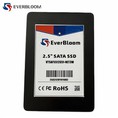
In the digital age, data has become one of the most valuable assets for individuals and businesses alike. Whether it's personal photos, important documents, or critical business data, ensuring its safety and integrity is of utmost importance. Solid State Drives (SSDs) have emerged as a popular choice for data storage due to their speed, reliability, and durability. However, the question remains: Is it safe to store important data on an SSD? As an SSD supplier, I'm here to provide you with a comprehensive analysis of the safety aspects of SSDs and help you make an informed decision.
Understanding SSD Technology
Before delving into the safety of storing important data on an SSD, it's essential to understand how SSDs work. Unlike traditional Hard Disk Drives (HDDs) that use spinning disks and mechanical read/write heads, SSDs store data on flash memory chips. This technology offers several advantages, including faster data access, lower power consumption, and greater shock resistance.
SSDs are available in various form factors and interfaces, each with its own set of features and performance characteristics. Some of the most common types of SSDs include MSATA SATA III SSD, SATA III M.2 SSD, and NVMe M.2 PCIe 4.0 SSD. These SSDs are designed to meet the diverse needs of different users, from everyday consumers to high-performance computing professionals.
Factors Affecting Data Safety on SSDs
Several factors can influence the safety of storing important data on an SSD. Let's take a closer look at some of the key considerations:
1. Data Integrity
Data integrity refers to the accuracy and consistency of data stored on an SSD. SSDs use various techniques to ensure data integrity, such as Error Correction Codes (ECC) and wear leveling. ECC helps detect and correct errors that may occur during data storage or transfer, while wear leveling distributes write operations evenly across the flash memory chips to prevent premature wear and data loss.
2. Endurance
Endurance is a measure of how many write cycles an SSD can withstand before its performance begins to degrade. Flash memory chips have a limited number of write cycles, known as Program/Erase (P/E) cycles. However, modern SSDs are designed with advanced wear leveling algorithms and over-provisioning techniques to extend their endurance and ensure long-term data reliability.
3. Power Loss Protection
Power loss can be a significant concern when storing important data on an SSD. Sudden power outages or system crashes can cause data corruption or loss if the SSD is not properly protected. Many SSDs are equipped with power loss protection mechanisms, such as capacitors or supercapacitors, that provide enough power to complete pending write operations and safely shut down the drive in the event of a power failure.
4. Security
Data security is another critical aspect of storing important data on an SSD. SSDs support various security features, such as encryption, to protect data from unauthorized access. Encryption scrambles the data stored on the SSD, making it unreadable without the correct encryption key. This helps prevent data breaches and ensures the confidentiality of sensitive information.
5. Environmental Factors
Environmental factors, such as temperature, humidity, and vibration, can also affect the safety of data stored on an SSD. Extreme temperatures can cause the flash memory chips to degrade faster, while high humidity can lead to corrosion and electrical shorts. Vibration can also cause physical damage to the SSD, resulting in data loss. It's important to store SSDs in a cool, dry, and stable environment to minimize the risk of data loss.
Advantages of Storing Data on SSDs
Despite the potential risks, there are several advantages to storing important data on an SSD:
1. Speed
SSDs offer significantly faster data access and transfer speeds compared to HDDs. This means that you can access your important data more quickly and efficiently, improving productivity and reducing waiting times.
2. Reliability
SSDs are more reliable than HDDs due to their lack of moving parts. This makes them less susceptible to mechanical failures and reduces the risk of data loss caused by physical damage.
3. Durability
SSDs are more durable than HDDs and can withstand shock, vibration, and temperature variations better. This makes them ideal for use in portable devices and harsh environments.
4. Energy Efficiency
SSDs consume less power than HDDs, which can help reduce energy costs and extend the battery life of portable devices.
Best Practices for Storing Important Data on SSDs
To ensure the safety of your important data when using an SSD, it's important to follow these best practices:
1. Choose a High-Quality SSD
Invest in a high-quality SSD from a reputable manufacturer. Look for SSDs that offer advanced features such as ECC, wear leveling, power loss protection, and encryption.


2. Regularly Back Up Your Data
Even though SSDs are generally reliable, it's still important to regularly back up your important data to an external storage device or a cloud-based service. This provides an additional layer of protection in case of data loss or corruption.
3. Monitor the Health of Your SSD
Most SSDs come with built-in self-monitoring, analysis, and reporting technology (SMART) that can help you monitor the health of your drive. Regularly check the SMART status of your SSD to detect any potential issues early and take appropriate action.
4. Keep Your SSD Firmware Up to Date
Manufacturers often release firmware updates for their SSDs to improve performance, add new features, and fix security vulnerabilities. Make sure to keep your SSD firmware up to date to ensure optimal performance and data safety.
5. Use a Surge Protector
To protect your SSD from power surges and electrical damage, use a surge protector when connecting your computer or other devices to the power outlet.
Conclusion
In conclusion, storing important data on an SSD can be safe and reliable if you take the necessary precautions. Modern SSDs are designed with advanced features and technologies to ensure data integrity, endurance, power loss protection, and security. By choosing a high-quality SSD, regularly backing up your data, monitoring the health of your drive, keeping your firmware up to date, and using a surge protector, you can minimize the risk of data loss and ensure the safety of your important information.
As an SSD supplier, we are committed to providing our customers with high-quality SSDs that meet the highest standards of performance, reliability, and data safety. If you have any questions or need assistance in choosing the right SSD for your needs, please don't hesitate to contact us. We would be happy to help you with your procurement and discuss your specific requirements.
References
- "Solid State Drives: A Comprehensive Guide." TechTarget.
- "Data Integrity in Solid State Drives." Western Digital.
- "SSD Endurance: What You Need to Know." Crucial.
- "Power Loss Protection in SSDs." Samsung.
- "SSD Security: Protecting Your Data." Intel.