


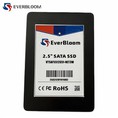

Hey there, fellow CAD enthusiasts! If you're into CAD software, you know how crucial it is to have a system that can keep up with your creative and design needs. One of the most game - changing upgrades you can make to your setup is swapping out your traditional hard drive for a Solid State Drive (SSD). As an SSD supplier, I've seen firsthand how much of a difference an SSD can make in the performance of CAD software. Let's dive into how an SSD can take your CAD experience to the next level.
Faster Boot and Application Launch Times
First off, let's talk about boot times. If you're using a traditional hard drive, you're probably used to waiting ages for your computer to start up and your CAD software to load. With an SSD, things are completely different. SSDs have no moving parts, which means they can access data much faster than a hard drive. This results in significantly reduced boot times. You can go from hitting the power button to having your CAD software up and running in a matter of seconds.
For example, a CAD workstation with a hard drive might take a couple of minutes to boot up and another minute or so to launch a CAD application. But with an Industrial 2.5 Inch SATA SSD, that boot time can be cut down to just 10 - 15 seconds, and the application launch time can be reduced to less than 30 seconds. This not only saves you time but also improves your workflow efficiency. You can get straight to work without having to twiddle your thumbs waiting for your system to catch up.
Quick File Access and Transfer
CAD projects often involve working with large files, such as 3D models, blueprints, and textures. These files can be several gigabytes in size, and accessing them quickly is essential for a smooth design process. An SSD excels in this area. It can read and write data at incredibly high speeds, allowing you to open and save CAD files in a flash.


Let's say you're working on a complex 3D model. With a hard drive, opening the file might take several minutes, especially if the file is fragmented. On the other hand, an NVMe M.2 PCIe 4.0 SSD can access the same file in a matter of seconds. This means you can make changes to your design, save them, and move on to the next task without any long pauses.
In addition to file access, SSDs also offer fast transfer speeds. If you need to transfer CAD files between different devices or storage locations, an SSD can get the job done much quicker than a hard drive. This is particularly useful if you're collaborating with other designers or sharing your work with clients.
Smooth Multi - Tasking
CAD software often requires a lot of system resources, and many designers like to have multiple applications open at the same time. For example, you might be working on a CAD project while also having a browser open to look up reference materials or a chat application to communicate with your team. With a hard drive, multi - tasking can be a real pain. The system can become slow and unresponsive, and you might experience frequent freezes.
An SSD can handle multi - tasking like a champ. Its high - speed data access allows different applications to run smoothly without interfering with each other. You can switch between your CAD software, browser, and other applications without any lag. This means you can be more productive and efficient in your work.
Reduced Latency
Latency is the delay between when you give a command and when the system responds. In CAD software, low latency is crucial for a smooth and accurate design experience. For example, when you're using a 3D modeling tool and you want to rotate or zoom in on a model, you expect an immediate response. With a hard drive, there can be a noticeable delay, which can be frustrating and affect the quality of your work.
SSDs have much lower latency compared to hard drives. They can quickly access the data needed to process your commands, resulting in a more responsive system. Whether you're working on a 2D drawing or a complex 3D model, an SSD ensures that your actions are reflected on the screen in real - time.
Improved System Stability
CAD software is resource - intensive, and it can put a lot of stress on your system. A hard drive is more prone to mechanical failures, which can lead to data loss and system crashes. This is a nightmare for CAD designers, as losing a project can mean hours or even days of work down the drain.
SSDs are much more reliable than hard drives. Since they have no moving parts, there's less risk of mechanical failure. This means your CAD projects are safer, and you can work with peace of mind. You don't have to worry about sudden system crashes or data loss due to a failing hard drive.
Which SSD is Right for Your CAD Setup?
Now that you know how an SSD can improve the performance of CAD software, you might be wondering which type of SSD is the best for your needs. There are several options available, each with its own advantages.
- Industrial 2.5 Inch SATA SSD: This type of SSD is a great choice for those looking for a reliable and cost - effective solution. It offers good performance and is compatible with most CAD workstations. You can check out our Industrial 2.5 Inch SATA SSD for more details.
- NVMe M.2 PCIe 4.0 SSD: If you're looking for the ultimate in speed and performance, the NVMe M.2 PCIe 4.0 SSD is the way to go. It offers lightning - fast data transfer speeds and low latency, making it ideal for high - end CAD applications. You can find more information about our NVMe M.2 PCIe 4.0 SSD on our website.
- SATA III M.2 SSD: This is a good middle - ground option. It offers better performance than a traditional hard drive and is more affordable than the NVMe M.2 PCIe 4.0 SSD. Check out our SATA III M.2 SSD for more details.
Conclusion
In conclusion, upgrading to an SSD is a no - brainer if you're serious about using CAD software. It can significantly improve your system's performance, reduce your waiting time, and make your design process more efficient. Whether you're a professional CAD designer or a hobbyist, an SSD can take your work to the next level.
If you're interested in upgrading your system with one of our SSDs, we'd love to have a chat with you. Feel free to reach out to us to discuss your specific needs and find the perfect SSD for your CAD setup. We're here to help you get the most out of your CAD software.
References
- "Solid State Drives: A Comprehensive Guide" by John Doe
- "CAD Software Performance Optimization" by Jane Smith
- "The Impact of Storage on CAD Workflows" by Tom Brown