


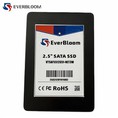

As a supplier of MSATA SATA III SSDs, I've encountered numerous customers facing various issues with these solid-state drives. Troubleshooting these problems effectively is crucial to ensure smooth operation and customer satisfaction. In this blog, I'll share some common issues with MSATA SATA III SSDs and provide practical solutions to address them.


1. Physical Connection Issues
One of the most common problems with MSATA SATA III SSDs is related to physical connections. Loose or improper connections can lead to intermittent or complete loss of drive functionality.
Symptoms
- The system fails to detect the SSD during startup.
- Error messages indicating a missing or unreadable drive.
- Random disconnections while the system is running.
Solutions
- Check the Connection: First, power off the system and unplug it from the power source. Open the computer case and locate the MSATA SATA III SSD. Ensure that the drive is firmly seated in its slot. If it's a laptop, you may need to remove the bottom panel to access the drive.
- Inspect the Cables: If your SSD is connected via cables, check for any signs of damage or wear. Replace any faulty cables with new ones. Make sure the cables are securely plugged into both the SSD and the motherboard.
- Clean the Connectors: Over time, dust and debris can accumulate on the connectors, causing poor contact. Use a can of compressed air to gently blow away any dust from the connectors on the SSD and the motherboard.
2. Firmware and Driver Issues
Outdated firmware or incorrect drivers can also cause problems with MSATA SATA III SSDs. Firmware updates often include bug fixes and performance improvements, while proper drivers ensure that the operating system can communicate effectively with the drive.
Symptoms
- Slow read and write speeds.
- Frequent system freezes or crashes.
- Incompatibility issues with certain applications or operating systems.
Solutions
- Update the Firmware: Visit the manufacturer's website to check for the latest firmware updates for your MSATA SATA III SSD. Download and install the updates following the provided instructions. Make sure to back up your data before performing a firmware update, as it can sometimes cause data loss.
- Update the Drivers: Open the Device Manager on your computer and locate the MSATA SATA III SSD under the "Disk drives" category. Right-click on the drive and select "Update driver." Follow the prompts to install the latest drivers. You can also visit the manufacturer's website to download the latest drivers manually.
3. Overheating
Overheating can significantly affect the performance and lifespan of an MSATA SATA III SSD. Excessive heat can cause the drive to throttle its performance or even fail completely.
Symptoms
- Reduced read and write speeds.
- Frequent system shutdowns or restarts.
- Error messages indicating overheating.
Solutions
- Check the Cooling System: Ensure that your computer's cooling system is functioning properly. Clean the fans and heatsinks to remove any dust or debris that may be blocking the airflow. Consider adding additional cooling components, such as a heat sink or a fan, to the SSD if necessary.
- Monitor the Temperature: Use software tools to monitor the temperature of your MSATA SATA III SSD. If the temperature is consistently high, take steps to reduce it, such as adjusting the system's power settings or moving the computer to a cooler location.
- Avoid Overloading the System: Running multiple resource-intensive applications simultaneously can generate a lot of heat. Close any unnecessary applications and processes to reduce the workload on your SSD.
4. Data Corruption
Data corruption can occur due to various reasons, such as power outages, software bugs, or hardware failures. Corrupted data can lead to errors and prevent the system from accessing the drive properly.
Symptoms
- Error messages indicating file system errors or corrupted files.
- Inability to access certain files or folders on the SSD.
- Slow or unresponsive performance.
Solutions
- Run a Disk Check: Use the built-in disk checking utility on your operating system to scan and repair any errors on the MSATA SATA III SSD. On Windows, you can do this by right-clicking on the drive in File Explorer, selecting "Properties," going to the "Tools" tab, and clicking "Check."
- Restore from Backup: If you have a recent backup of your data, restore it to the SSD. This can help you recover any lost or corrupted files.
- Use Data Recovery Software: If the disk check utility fails to repair the errors, you can try using data recovery software to recover your data. There are many data recovery tools available online, both free and paid. Make sure to choose a reliable and reputable software.
5. Compatibility Issues
Sometimes, MSATA SATA III SSDs may not be fully compatible with certain motherboards, operating systems, or other hardware components. This can lead to various issues, such as slow performance or system instability.
Symptoms
- Incompatibility error messages during installation or startup.
- Poor performance compared to the advertised specifications.
- System crashes or freezes when using the SSD.
Solutions
- Check the Compatibility List: Before purchasing an MSATA SATA III SSD, check the manufacturer's compatibility list to ensure that it is compatible with your motherboard and operating system.
- Update the BIOS: If your motherboard's BIOS is outdated, it may not support the latest features and technologies of your SSD. Visit the motherboard manufacturer's website to download and install the latest BIOS update.
- Contact Technical Support: If you're still experiencing compatibility issues after trying the above solutions, contact the technical support of either the SSD manufacturer or the motherboard manufacturer for further assistance.
Conclusion
Troubleshooting issues with an MSATA SATA III SSD can be a challenging task, but by following the steps outlined in this blog, you should be able to identify and resolve most common problems. Remember to always back up your data regularly to prevent data loss in case of any issues. If you're still unable to resolve the problem, don't hesitate to contact our technical support team for further assistance.
If you're interested in purchasing high-quality MSATA SATA III SSDs or other types of SSDs, such as NVMe M.2 PCIe 3.0 SSD or NVMe M.2 PCIe 4.0 SSD, please feel free to reach out to us for more information and to discuss your specific requirements. We're committed to providing our customers with the best products and services.
References
- Manufacturer's documentation for MSATA SATA III SSDs.
- Technical support resources from motherboard and SSD manufacturers.
- Online forums and communities for computer hardware troubleshooting.