


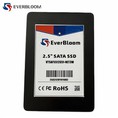

In the ever - evolving landscape of data storage, the battle between Solid - State Drives (SSDs) and Hard Disk Drives (HDDs) has been a long - standing one. As an SSD supplier, I've witnessed firsthand the remarkable advantages that SSDs bring to the table over their HDD counterparts. In this blog, I'll delve into the key benefits of SSDs, which have made them the preferred choice for many users, from casual consumers to high - end enterprise clients.
Speed and Performance
One of the most significant advantages of SSDs is their lightning - fast speed. Unlike HDDs, which rely on spinning disks and moving read - write heads, SSDs use flash memory to store data. This fundamental difference in technology results in much quicker data access times.


HDDs typically have an average access time ranging from 5 to 15 milliseconds. In contrast, SSDs can achieve access times as low as 0.1 milliseconds. This means that when you boot up your computer, open applications, or transfer files, an SSD will get the job done in a fraction of the time it would take an HDD.
For example, a computer with an HDD might take up to a minute or more to boot, while a system equipped with an SSD can boot in as little as 10 - 15 seconds. This speed boost not only enhances user experience but also increases productivity, especially in professional settings where time is of the essence.
Moreover, SSDs offer significantly higher sequential read and write speeds. A high - end NVMe M.2 PCIe 3.0 SSD can reach sequential read speeds of over 3000 MB/s and sequential write speeds of over 2000 MB/s. In comparison, a typical HDD has sequential read and write speeds in the range of 100 - 200 MB/s. This difference is crucial when dealing with large files, such as high - definition videos, large databases, or complex software installations.
Reliability and Durability
SSDs are far more reliable and durable than HDDs. Since HDDs have moving parts, they are more prone to mechanical failures. The spinning disks and moving read - write heads can be easily damaged by physical shocks, vibrations, or even normal wear and tear over time. A single drop or a jolt can cause the read - write head to crash into the disk surface, resulting in data loss.
On the other hand, SSDs have no moving parts. They are solid - state devices, which means they are much more resistant to physical shocks and vibrations. This makes them ideal for use in laptops, tablets, and other portable devices that are more likely to be subjected to rough handling.
In addition, SSDs have a lower failure rate compared to HDDs. The average annual failure rate (AFR) of an HDD can be as high as 5 - 10%, while the AFR of an SSD is typically less than 1%. This means that over time, you're less likely to experience data loss or system failures with an SSD.
Energy Efficiency
Energy consumption is another area where SSDs outshine HDDs. HDDs require a significant amount of power to spin the disks and move the read - write heads. This not only increases electricity costs but also generates more heat, which can lead to additional cooling requirements.
SSDs, on the other hand, consume much less power. They use flash memory, which requires only a small amount of power to operate. This makes them more energy - efficient, especially in laptops and other battery - powered devices. A laptop with an SSD can have significantly longer battery life compared to one with an HDD. For example, a laptop with an HDD might last 3 - 4 hours on a single charge, while a laptop with an SSD can last 6 - 8 hours or more.
Quiet Operation
The lack of moving parts in SSDs also means that they operate silently. HDDs, with their spinning disks and moving read - write heads, can produce a noticeable amount of noise, especially when they are working hard. This can be a nuisance, especially in quiet environments such as offices or libraries.
SSDs, however, generate no mechanical noise. This makes them ideal for use in settings where noise is a concern, such as home theaters, recording studios, or any environment where a quiet atmosphere is desired.
Form Factor and Size
SSDs come in a variety of form factors, offering more flexibility in terms of installation and use. There are 2.5 Inch SATA III SSD, which are the same size as traditional laptop HDDs and can be easily swapped in. There are also smaller form factors like SATA III M.2 SSD and NVMe M.2 SSDs, which are much smaller and can be used in ultra - thin laptops, tablets, and other compact devices.
HDDs, on the other hand, are generally larger and bulkier. Their size and weight can limit their use in smaller devices. The smaller size of SSDs also allows for more efficient use of space inside a computer case, making them a better choice for systems with limited internal space.
Conclusion
In conclusion, the advantages of SSDs over HDDs are numerous and significant. From speed and performance to reliability, energy efficiency, quiet operation, and form factor, SSDs offer a superior storage solution for a wide range of applications.
If you're in the market for a new storage device for your personal computer, laptop, or enterprise server, I highly recommend considering an SSD. As an SSD supplier, I can offer you a wide range of high - quality SSDs to meet your specific needs. Whether you need a large - capacity 2.5 Inch SATA III SSD for your desktop computer or a high - performance NVMe M.2 PCIe 3.0 SSD for your gaming laptop, we have the right product for you.
If you're interested in learning more about our SSD products or would like to discuss a potential purchase, please don't hesitate to reach out. We're here to help you make the best storage decision for your needs.
References
- "Solid - State Drives: A New Paradigm for Storage." Storage Magazine.
- "Comparing HDD and SSD Performance." TechResearch Journal.
- "The Future of Data Storage: SSDs vs. HDDs." Industry Trends Report.