


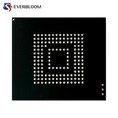

Hey there! As an eMMC supplier, I often get asked about how to check the health of eMMC storage. It's a crucial topic, especially for those who rely on eMMC in their devices. In this blog, I'll share some practical ways to assess the health of your eMMC, and also give you a bit of background on different types of eMMCs we offer.
Understanding eMMC Basics
Before we dive into the health - checking methods, let's quickly go over what eMMC is. eMMC, or embedded MultiMediaCard, is a type of flash memory storage that's commonly used in mobile devices, tablets, and other consumer electronics. It's essentially a self - contained storage device that combines NAND flash memory and a flash memory controller into a single package.
We offer two main types of eMMCs: the HS400 Industrial Grade EMMC and the HS400 Consumer Grade EMMC. The industrial - grade eMMC is designed to withstand harsh environments, with features like wider temperature ranges and better shock resistance. On the other hand, the consumer - grade eMMC is more suitable for general - purpose consumer devices, offering a good balance between performance and cost.
Why Check eMMC Health?
Checking the health of your eMMC is important for several reasons. First of all, it can help you predict when the eMMC might fail. Just like any other storage device, eMMC has a limited lifespan. Over time, the NAND flash cells can wear out, leading to data corruption and eventually, device failure. By regularly checking the health, you can take proactive measures, such as backing up your data or replacing the eMMC before it's too late.
Secondly, monitoring eMMC health can also help you optimize the performance of your device. A healthy eMMC will provide faster read and write speeds, which can significantly improve the overall user experience.
Methods to Check eMMC Health
1. Using Built - in Diagnostic Tools
Many operating systems come with built - in diagnostic tools that can provide information about the health of your eMMC. For example, on Android devices, you can use the "Storage" or "Device Maintenance" settings to check the storage status. These tools can give you an overall assessment of the eMMC's health, including the amount of available space, the number of bad sectors, and the estimated wear level.
On Windows devices, you can use the built - in disk management tools. Right - click on the eMMC drive in "This PC" and select "Properties". Then, go to the "Tools" tab and click on "Check" under "Error checking". This will scan the drive for errors and report any issues it finds.
2. Third - Party Software
There are also many third - party software applications available that can provide more detailed information about eMMC health. Tools like CrystalDiskInfo can be used to check the S.M.A.R.T. (Self - Monitoring, Analysis, and Reporting Technology) attributes of the eMMC. S.M.A.R.T. is a system that monitors the health of storage devices by collecting and analyzing various parameters, such as the number of read/write errors, the temperature of the device, and the overall wear level.
When using third - party software, make sure to download it from a trusted source to avoid any security risks.
3. Physical Inspection
In some cases, a physical inspection of the eMMC can also provide clues about its health. Check for any signs of physical damage, such as cracks, burns, or loose connections. If you notice any of these issues, it's likely that the eMMC is damaged and may need to be replaced.
Interpreting the Results
Once you've checked the eMMC health using one of the methods above, you need to know how to interpret the results. Here are some key indicators to look out for:
1. Bad Sectors
Bad sectors are areas on the eMMC where data can no longer be stored or read correctly. A small number of bad sectors may not be a cause for concern, as modern eMMCs have built - in mechanisms to remap these sectors. However, if the number of bad sectors is increasing rapidly, it could be a sign of impending failure.
2. Wear Level
The wear level indicates how much the NAND flash cells in the eMMC have been used. Most eMMCs have a limited number of program/erase cycles, and as the wear level increases, the risk of failure also goes up. A high wear level may suggest that the eMMC is approaching the end of its lifespan.


3. Temperature
Excessive heat can also affect the health of the eMMC. If the temperature of the eMMC is consistently high, it could lead to accelerated wear and potential data loss. Make sure to keep your device in a well - ventilated area to prevent overheating.
Maintaining eMMC Health
In addition to checking the health of your eMMC, there are also some steps you can take to maintain its health:
1. Keep Your Device Updated
Regularly updating your device's operating system and applications can help improve the performance and stability of the eMMC. Software updates often include bug fixes and optimizations that can enhance the overall user experience.
2. Avoid Overloading the eMMC
Try to keep the eMMC from being completely full. Leaving some free space on the eMMC can help improve its performance and reduce the risk of data corruption.
3. Use Reliable Power Sources
Using a reliable power source can prevent sudden power outages, which can cause data loss and damage to the eMMC. Always use a high - quality charger and avoid using your device while it's charging from an unreliable power source.
Contact Us for Your eMMC Needs
If you're in the market for high - quality eMMCs, whether it's the HS400 Industrial Grade EMMC or the HS400 Consumer Grade EMMC, we're here to help. We offer a wide range of eMMC products with different capacities and performance levels to meet your specific requirements.
If you have any questions or would like to discuss your eMMC procurement needs, don't hesitate to reach out. We're committed to providing excellent customer service and ensuring that you get the best eMMC solutions for your devices.
References
- "Flash Memory Handbook" by Thomas M. Chen
- "Understanding S.M.A.R.T. Technology" - Various online resources on storage device health monitoring.